Philmont backpack packing list: my deltas

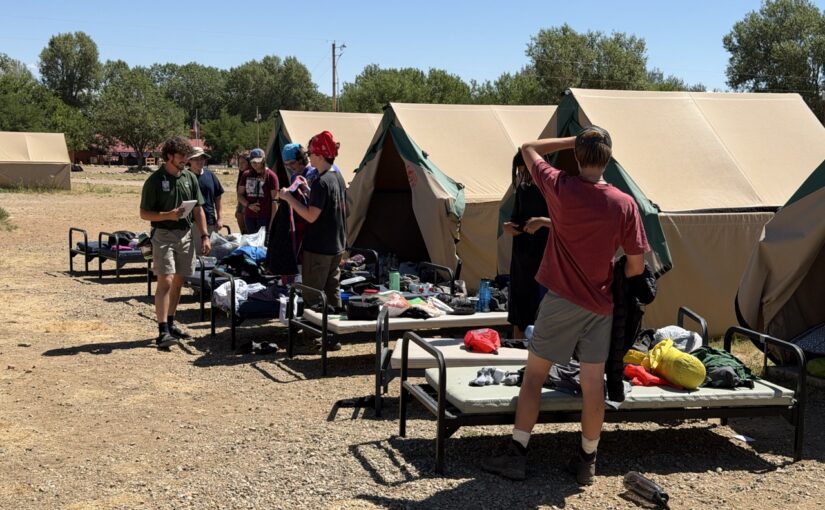
I did a 12-day1 Philmont trek in late July 2026, trek 12-12. I packed using the Philmont 2026 Guidebook to Adventure (p. 14), with some exceptions. My LighterPack inventory is at bottom.

The Philmont packing list is good. I recommend packing everything on it. I brought a few more things, described further down.

Before you take off hiking, you’ll review gear with your ranger. That is when you may choose to leave some items behind. It’s better to bring too much to Philmont and leave a few things at base camp than to lack essential equipment for a trek!

I packed everything I needed

The Philmont list, plus a few extras (below), is comprehensive. I cannot identify anything I wanted to bring that wasn’t present.

A factor in why I had all I needed was because I packed towards the high end of ranges. If the list says “up to 4” of something, I brought four. If four is too many, you can leave some behind at base camp. By bringing four, I could make that choice!

On-list item commentary

This is a commentary on items on the Philmont packing list.

Items I left behind

Here’s the items on the Philmont list that I did not bring on the trek:

  • Extra headlamp batteries. I had a Black Diamond Spot 400 Headlamp with its included non-rechargeable AAA batteries. I didn’t even chew through 1/3 of the batteries. Also, a trading post was available to me on day 6 in case I needed more.
  • Long underwear. I left them at base camp. This was per our ranger’s recommendation, and he nailed it. At no point did I feel these were necessary. On the coldest mornings at 10,500 altitude, all I needed was a jacket until the sun was on me. While the trek felt warmer than I expected, possibly fueled by the extreme drought, I see a lot of reports of warm conditions from prior years, so I am unclear if the warmth was unusual.
  • Lightweight fleece. It was unnecessary with my insulated jacket. This was great because my fleece wasn’t lightweight, just over 1 lb!
  • Water filter. Based on the advice of my ranger, I left this behind, and we only used purification tablets. (I brought my personal filter for crew gear.) It was the right call. We rarely needed to purify water, and the water sources we used seemed pretty clean. That said, we saw two situations where, had we solely relied on purification, it may have been weird: 1. In the hike to Clear Creek, Rayado Creek became muddy during a rain. Purification tablets cannot clean up dirt. This wasn’t impactful because Clear Creek had treated water. 2. Bonito Creek felt like a cow toilet. Its watershed includes a lot of cow pastures. Will a filter work on the poop? Not sure. But seems like two kinds of treatment there would be desirable.

Items I should reconsider

These items I brought, but I am not sure they were useful:

  • Camp/stream shoes. I am not sure these are needed. I got my first-ever pair of Crocs. They are a big “meh” overall, stupidly overpriced. A lot of days, I never took off my boots at night, and that was fine. Also, we encountered no streams that my waterproof boots were wrong for, but Philmont was under extreme drought at the time, which suppressed water levels.
  • Sleep clothes. Never used them.
  • Gloves and warm hat. Never used them.
  • Camp Chair. My REI Flexlite Air Chair was a meh. It occasionally had minor usefulness, but that was 1.06 lbs that I could have dropped. I am not sure the weight-cost was worth it.
  • Trekking poles. I can’t objectively say they benefited me. They may have helped catch a fall twice. However, there was no A/B test, so I don’t know if I would have carried myself better without the poles or if not, would have have caught the fall. The surprise was more that I had ordinary TrailBuddy poles, which aren’t particularly lightweight. They were fine! I had them on my backpack only the first trail day. The rest of the time, I was walking with them.
  • Foot powder. This was crew equipment. Never needed it.

Items that did not work well

These items did not work well:

  • Rubber tips for trekking poles. On day 8, hearing clicking sounds, I observed my poles had broken through both rubber tips. Except for hiking day 1 (trek day 2), I used the poles vigorously to transmit some forces from my legs to my arms.

Items that surprised me

These were items I got for this trip whose utility surprised me:

  • Sleeping bag liner. It did well at protecting the sleeping bag from my nastiness. I washed it on day 7.
  • 75L backpack. Several poo-poohed my choice of a 75L pack, saying it’s too large or too heavy. I found my Gregory Baltoro 75 it to be about right. On days where I needed to bear a bigger load, it made that possible. On other days, it easily cinched down to be a lower volume. (I got this at a considerable discount on closeout in the two years before our trek.)
  • Sleeping bag. My Kelty Galactic 30 Sleeping Bag is a down hikers bag, rated to 30º. It was too hot most nights, which typically were 50º to 60º. The overheating was a contributor to mediocre sleep. That said, it got cooler the two nights we were above 10,000 feet (Clear Creek and Red Hills), and it was appreciated! (I got this at a considerable discount on closeout in the two years before our trek.)
  • Rain pants. The time I didn’t wear them, I misjudged the rain storm. My boots got soaked! Wear them!
  • Coghlan’s Snapfold Bowl. This lives up to the hype! It’s not a smellable, it’s light, and it snaps to a durable, flat shape. (Fozzils was the original brand of these bowls. It was acquired by Coghlan’s in mid-2024.)
  • Jetboil. Someone else brought this. It was quite handy at warming up coffee water or miscellaneous, small hot-water needs. Far simpler than breaking out the MSR Whisperlite.
  • Wool socks and sock liners. My wool socks seemed to hang on to water. When I washed clothes, they were always the last things to line dry. I want to investigate this further. But I had synthetic sock liners, too. These were among the first things to dry, so I imagine they did good at transmitting water away from my feet. Despite waterproof boots, with the sock liners and the wool socks, my feet never felt soaked, just sometimes slightly moist. (Exception: see the rain-pants item above.)

Beyond the Philmont list

These items were not on the official list, and I found them useful:

  • Tent. Philmont recommends using tents they issue. I instead brought a Big Agnes Copper Spur HV UL2 tent. I tented alone as the odd adult male, and this was much lighter than the Philmont tent. (I got this at a considerable discount on closeout in the two years before our trek.)
  • 1 gallon freezer bags. These were handy for on-trail clothes washing or containing stuff. I brought five.
  • Power bank, Apple Watch fast-charging cable. I brought an Anker 20000 mAh power bank. It gave me a nightly charge of my Apple Watch Ultra 3 (got this used!). I also got occasional charging of my iPhone 17 Pro Max (also got this used). The Apple Watch charges were needed because I tracked our trail progress on all hikes. I was charging it from around 30% each day. Pro tip 1: remove the watch and charger when the watch is at 100%. I think there’s a parasitic drain from the induction charging if you leave it plugged in. Pro tip 2: Put the iPhone on low-power mode and on airplane mode. If you know you won’t use it for a few hours, power it off. I had to get exceptionally aggressive on power use starting day 5 as I had drained my power bank excessively due to my loose power management of the phone.
  • Instant coffee. My staple was illy Instant Coffee Single-Serve Packets. They were fine. I’ve previously used Starbucks Via packets, and those are also good.

LighterPack inventory

I created this list before departing. I weighed all items individually.

Wow, you made it all the way here? If you want more Scouting content from a reformer angle, check Untended Fire. Many changes are needed if we want for BSA to have another 100 years.

  1. All Philmont treks include two days at base camp, so a 12-day trek is really 10 days in the backcountry. ↩︎
Fixing 0x800f0922 error with Windows 11’s 2025-12 and 2026-01 Security Updates

I like to keep my Windows `11 computers fully patched. The 0x800f0922 error with Windows 11’s 2025-12 and 2026-01 Security Updates blocked me. That error caused the update to be rolled back. Windows Update kept presenting this update, which caused repetitive, lengthy reboot cycles that only ended with failure.

The fix is easy.

Mitigating root cause

It turns out root cause was discernible by searching C:\Windows\Logs\CBS\CBS.log for the first error. This log apparently contains errors encountered during updates.

I searched on , error (comma, then space, then error) to find errors. It’s likely best to focus on the first error as that should be what triggers a rollback. In my case, the first error was vague, but I found the root cause on the second error, which appeared just a few lines later.

The error included HRESULT_FROM_WIN32(ERROR_DISK_FULL). Trivial searching landed me on a theory that my boot partition was full.

Windows users are used to the C drive being the main drive you see. This C drive is actually a partition of your drive. Typically, a partition is a portion of a drive that is accessed using a drive letter. (Why C? Back at the start of the PC days, A and B were floppy drives. C later became the norm for the hard drive.)

The C partition customarily includes nearly all your drive. If you have a 500 GB hard drive, then your C partition should be close to 500 GB.

Your drive also has small, hidden partitions. They don’t have drive letters, so without special tricks, you can’t see them. In my case, I have a 0.1 GB boot partition. This partition is accessed by your computer when you first turn it on. The initial loading screens are really your computer running software in this tiny boot partition, until it passes control to Windows on the C drive.

My boot partition was nearly full. It had so little free space, the updater couldn’t add some files to it, hence the disk-full error.

The easy fix

Fixing this is easy, described in a Microsoft support article, where you delete some files from the boot partition that are unlikely to ever be used. While the article only contained Windows 10 steps, they worked for Windows 11. The steps:

  1. Open Command Prompt in administrator mode. (In your taskbar’s search box, search for command prompt. When the Command Prompt icon displays, right-click on it, select Run as administrator, and hit Yes on the confirmation dialog.)
  2. In the Command Prompt window, type these commands (if you get an error after any command, do not continue to the next step until you can use that command without an error):
    • mountvol y: /s
    • y:
    • cd EFI\Microsoft\Boot\Fonts
    • del *.ttf
    • mountvol y: /d

Now your boot partition has enough space. Go back to Windows Update and attempt the security update again. It should work.

FAQs are bad

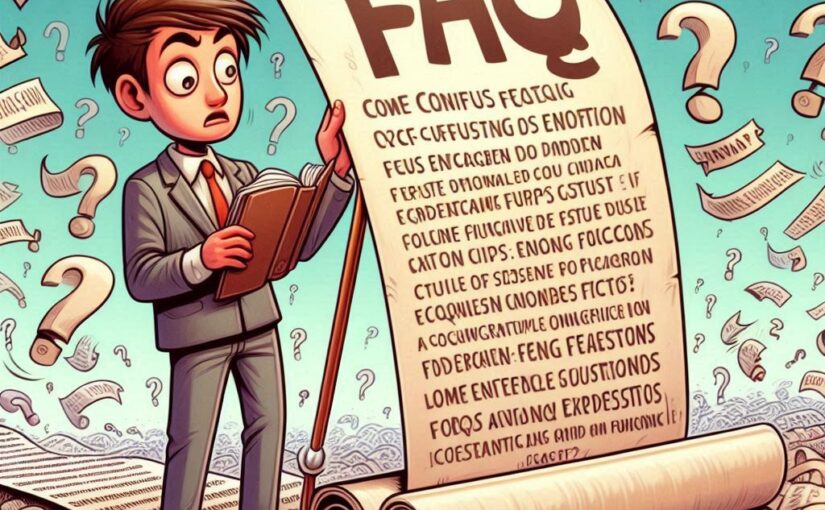
FAQ means frequently asked questions. On websites, they are a set of questions and answers.

FAQs signal poor products. They obfuscate.

FAQs are not helpful.

Not frequently asked

FAQs aren’t responsive to frequently-asked questions. FAQs are the questions someone wished people asked.

But for the sake of argument, let’s suppose your FAQ is real: it’s responsive to questions are frequently asked.

Congratulations, you’ve found a unicorn. But again, for the sake of argument, let’s pretend this unicorn is real. Why are people are frequently asking questions? Here’s why:

Your product sucks

A FAQ’s main point is papering over failure.

Good products and good documentation minimize questions.

Improve your product! Invest in eliminating user questions.

FAQs obfuscate

FAQ-style documentation obfuscates. By bloating heading length, they make it harder to find information.

Simple headingFAQ-bloat heading
Data typesWhich data types may I choose?
(300% bloat)
Log inHow do I log in to AwesomeApp?
(350% bloat)
Scholarships offeredWhat types of scholarships does State University offer?
(400% bloat)
One-on-one contact always disallowed“The Barriers to Abuse states ‘One-on-one contact between adult leaders and youth members is prohibited both inside and outside of Scouting.’ What does ‘inside and outside of Scouting’ mean?” (source) (725% bloat)

FAQs are bad habits

Sometimes good documentation is harmed by conveying it as a FAQ. This comes from a baseless belief that friendly, approachable formats are wordy or busy.

Never do this! Construct your documentation in a straightforward way.

FAQs are a last resort

If you feel you need a FAQ, do these first:

  1. Improve your product to eliminate questions.
  2. Improve your documentation to eliminate questions.
  3. Do anything other than a FAQ.

If after following these steps, you still need a FAQ, then fine, do it. But only do it with a plan to eliminate it. And only do it if it’s answering questions customers are frequently asking.

The FAQ is a last resort. It makes you look bad. It needs to disappear at the earliest opportunity.

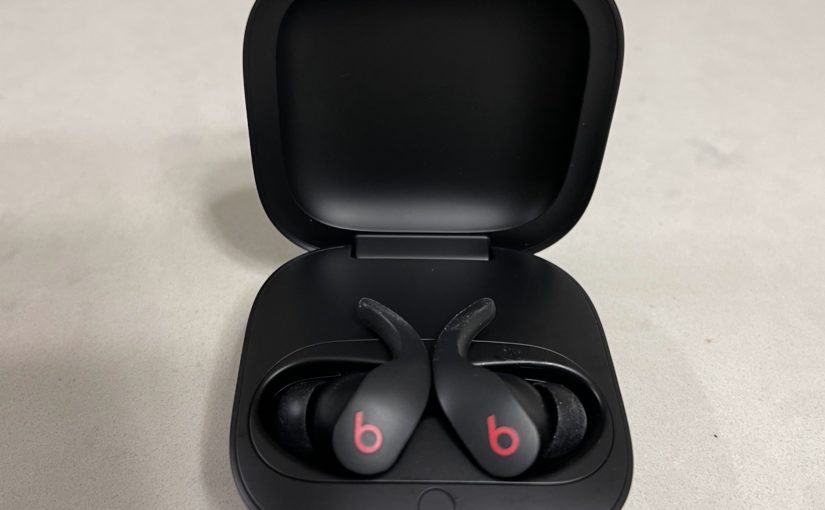
Defective by design: Beats Fit Pro earbuds

I downgraded my failing Jabra Elite 75t earbuds to Beats Fit Pro. Yes, downgraded!

The Beats Fit Pros amplify wind noise. Above about 5 mph, wind causes a roar. Turn on noise cancellation, the wind roar gets much louder!

Beats’s website laughably claims the Fit Pro is for “athletes of all kinds” and “workouts”. Nope! Low-speed, old-man biking means deafening wind noise.

This is bad design, not my bad use. Proof: Nose facing the wind means deafening roar. Ear facing the wind, the noise stops! Huh?

Wind noise is bad when my nose faces the wind. If the ear faces the wind, the noise stops. Totally! This is defective by design, not an issue with fit or use.

Audio quality punches low. It’s less pleasing than the Jabra 75t. Bass response is much weaker.

And that Apple H1 chip? Gimmick! Compared to the older Jabra 75t, the H1 just annoys. For example, if you adjust either earbud, your music stops until you hit play again on the phone. Sorry, I’m not learning how to fondle the earbuds in a way that that resumes music. I just don’t need the music-stopping gimmick!

Skip Apple-anything for earbuds. With poorer quality, poor design, and having Apple-gimmick chips, nearly anything else is better than Apple.

Facebook is abetting intellectual-property thieves

Summary: Facebook abets a shadowy, intellectual-property thief. This thief has stolen rights to all of my videos since June 2022.

Details:

I broadcast my bike rides. I throw a GoPro HERO9 on my helmet and live-stream the ride to Facebook. The camera uses my phone’s hotspot for data.

I know, it’s silly. It’s a gambit to get my Facebook friends to accost me for a $2 bill. (Only ten $2 bills have been distributed in the past 26 months.)

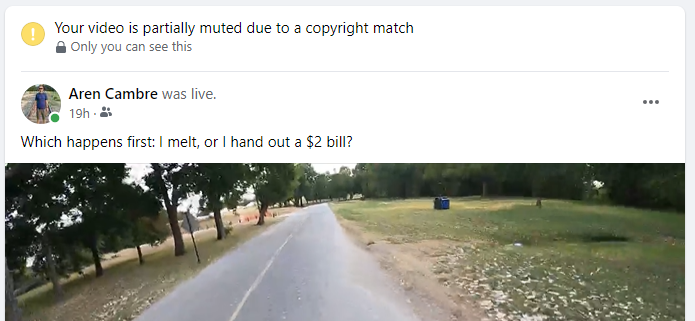
As self-created recordings of my own bike rides, these videos are my original creations. Despite that, since late June, every video ends up with a copyright notice:

Partial still of my video with a bogus copyright notice on top.

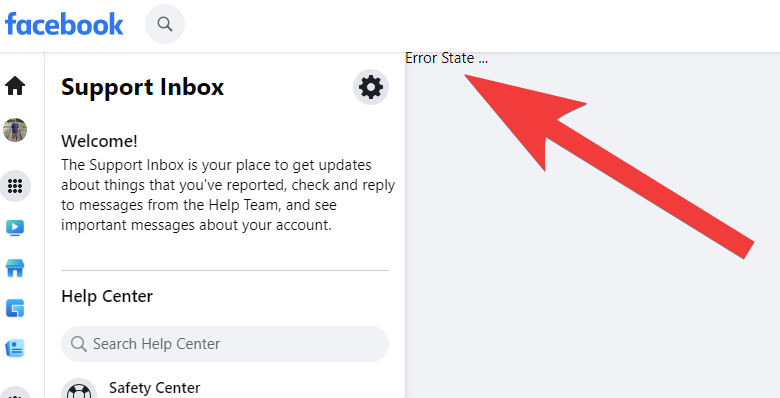
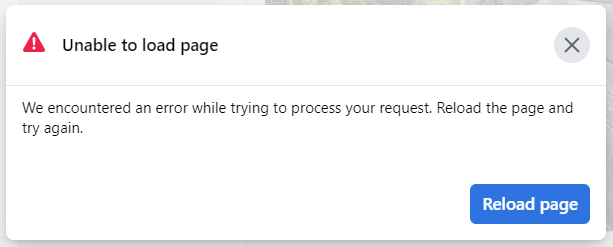
When I click on the notice, I get an error:

When I try to get more info on these bogus copyright notices, I often get an error. Did Facebook design this into the system to protect thieves?

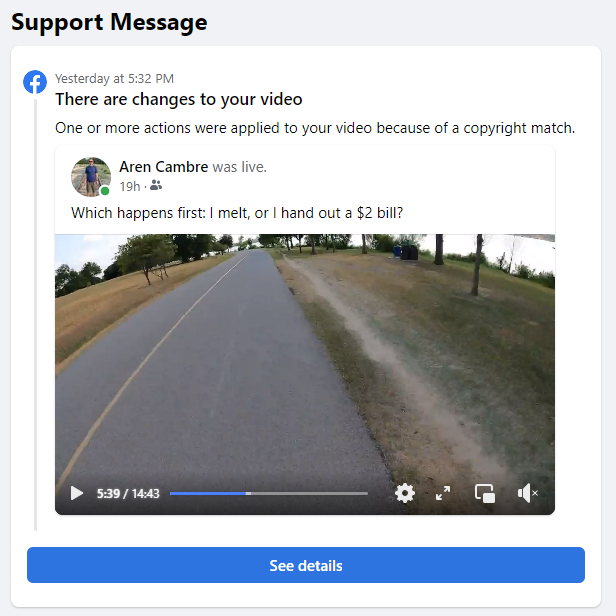
Refreshing that page, I finally get useful info:

Facebook says a thief’s property matches part of my video.

Huh, so Facebook alleges that a thief’s fake property matches part of my video. Let’s click See details and find out more:

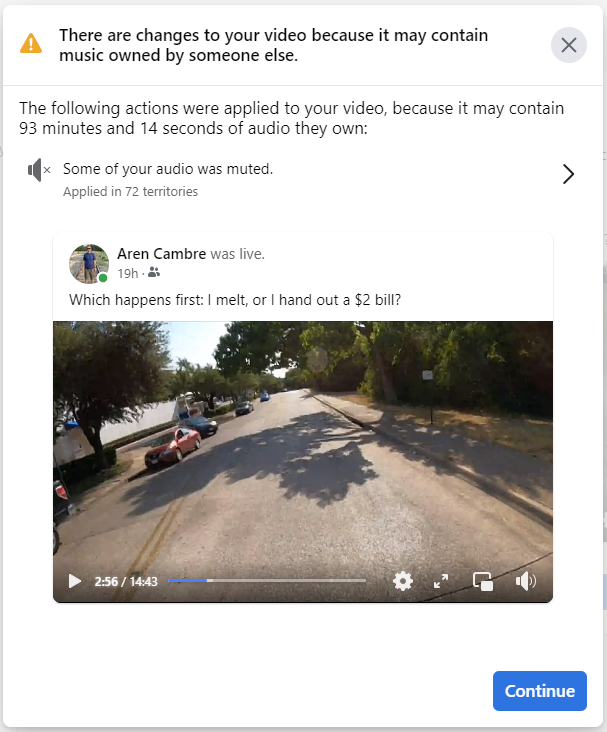
Faecbook says a recording of my bike ride has someone else’s “music”? 🤣🤣🤣

Facebook says the 14.72 minute recording of my bike ride has 93.25 minutes of someone else’s audio? 🤣 So many problems with this.

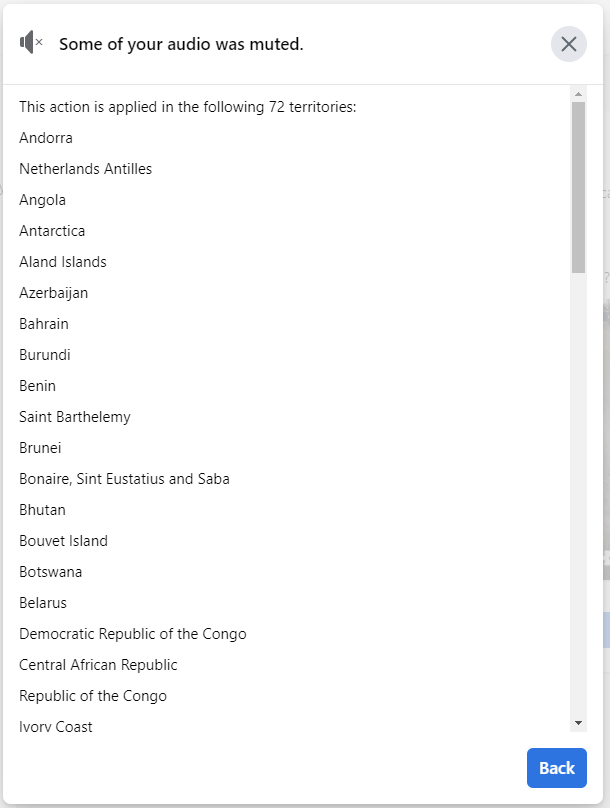
What are these 72 territories where the claim is asserted?

72 countries where my audio is muted, due to someone using Facebook to steal my intellectual property.

Heres’ the 72 countries where Facebook allows a thief to steal my intellectual-property rights:

  1. Andorra
  2. Netherlands Antilles
  3. Angola
  4. Antarctica
  5. Aland Islands
  6. Azerbaijan
  7. Bahrain
  8. Burundi
  9. Benin
  10. Saint Barthelemy
  11. Brunei
  12. Bonaire, Sint Eustatius and Saba
  13. Bhutan
  14. Bouvet Island
  15. Botswana
  16. Belarus
  17. Democratic Republic of the Congo
  18. Central African Republic
  19. Republic of the Congo
  20. Ivory Coast
  21. China
  22. Cuba
  23. Djibouti
  24. Western Sahara
  25. Eritrea
  26. Ethiopia
  27. Faroe Islands
  28. Gabon
  29. Greenland
  30. Gambia
  31. Equatorial Guinea
  32. Greece
  33. Guinea-Bissau
  34. Haiti
  35. Hungary
  36. British Indian Ocean Territory
  37. Iran
  38. Comoros
  39. North Korea
  40. Liberia
  41. Moldova
  42. Saint Martin
  43. Madagascar
  44. Marshall Islands
  45. Myanmar
  46. Mauritania
  47. Mauritius
  48. Maldives
  49. Mozambique
  50. New Caledonia
  51. Niger
  52. French Polynesia
  53. Papua New Guinea
  54. Saint Pierre and Miquelon
  55. Pitcairn
  56. Sudan
  57. Saint Helena, Ascension and Tristan da Cunha
  58. Slovenia
  59. Svalbard and Jan Mayen
  60. Sierra Leone
  61. Somalia
  62. South Sudan
  63. Sao Tome and Principe
  64. Syria
  65. Chad
  66. French Southern Territories
  67. Togo
  68. Timor-Leste
  69. East Timor
  70. United States Minor Outlying Islands
  71. British Virgin Islands
  72. Wallis and Futuna

This is a diverse group of countries: Second World, Third World, Axis of Evil, microstates, client states, failed states, and more. The only commonality I can fathom is they might not take intellectual property seriously, making it easy for thieves to use them as property-theft tools.

If I hit Continue (see two screenshots above), I pass through some perfunctory dialogs:

Perfunctory dialog explaining the basics of copyright.

Continuing, copyright tips that are inapplicable to someone who, like me, puts his original creation on Facebook:

Another perfunctory dialog giving irrelevant information to people who own the rights to their own media.

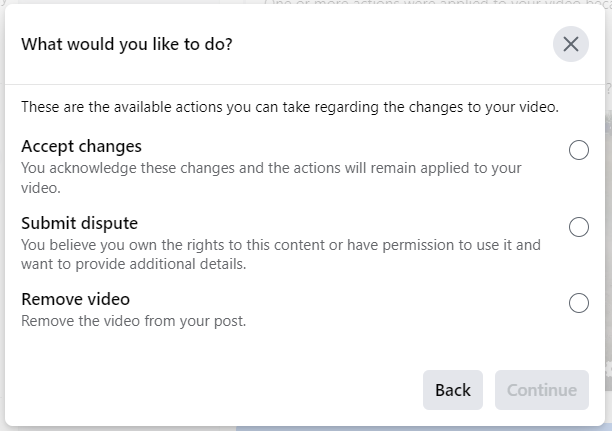
Finally, I get to do something:

Dialog allowing me to choose my next step: accept changes, submit dispute, or remove video.

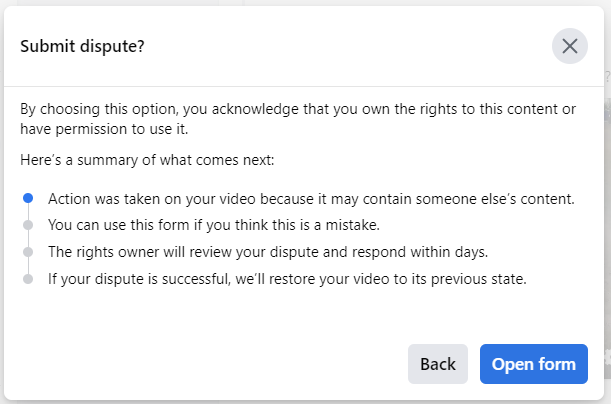
Selecting Submit dispute then Continue brings more perfunctory dialogs:

Perfunctory dialog explaining what it means to dispute a copyright claim.

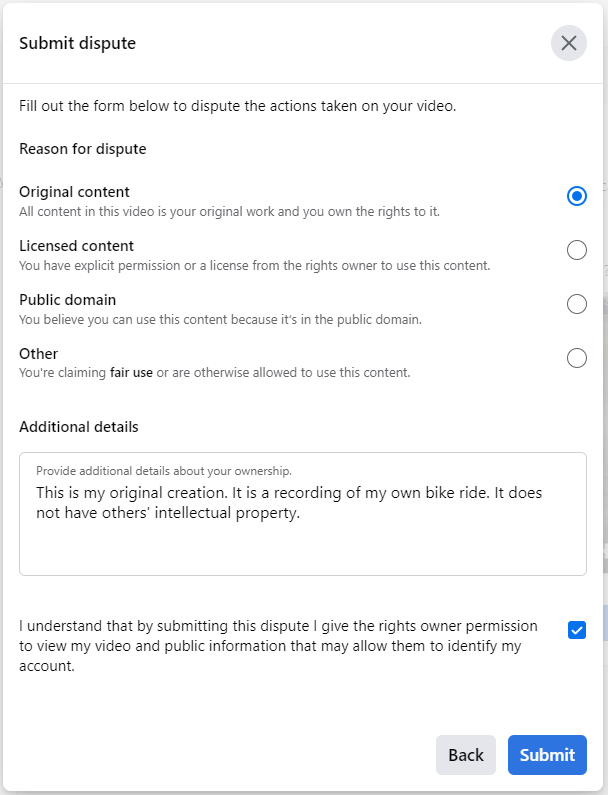
Now I can submit the dispute. I filled out the Submit dispute dialog:

Submit dispute dialog, filled out with relevant information.

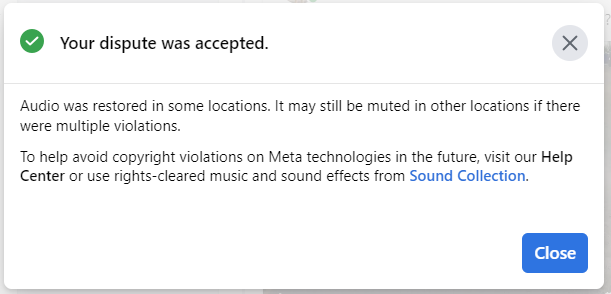
Pressing Submit nearly always brings me to a final dialog, saying that my dispute was accepted and more information that is irrelevant to people uploading their original creation:

Dispute-accepted dialog.

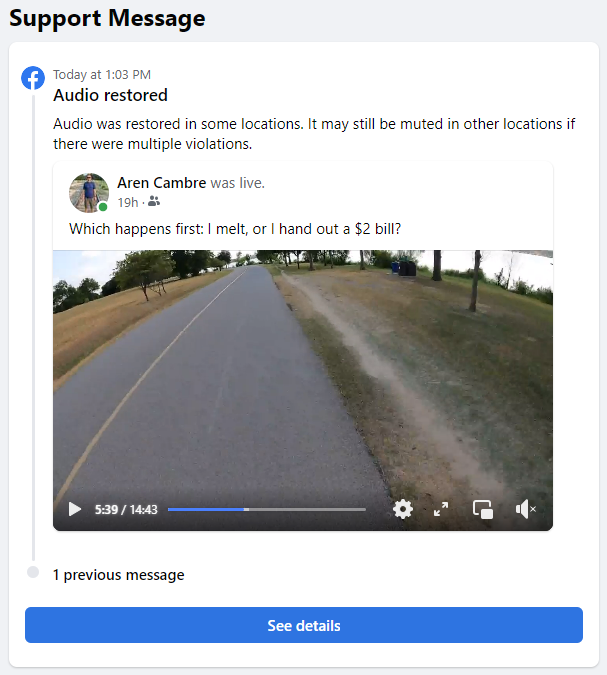
Now the original support message says the audio was restored:

Facebook’s support message changed, now indicating that the audio is restored.

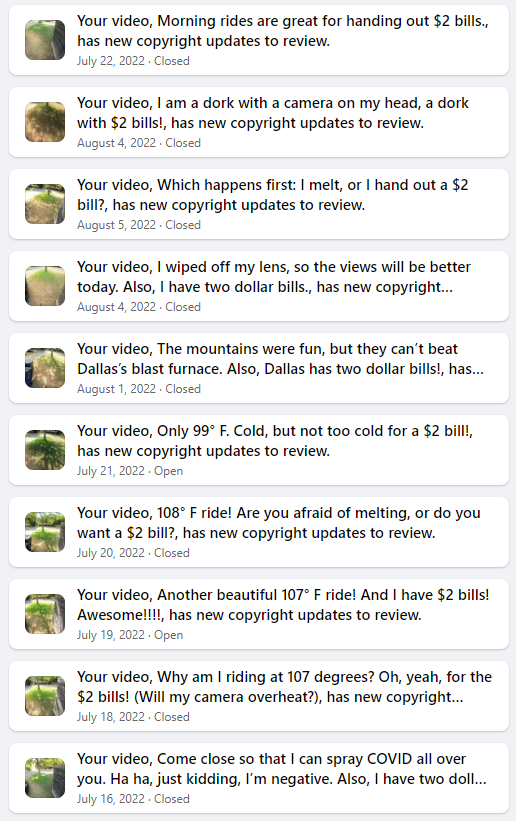
This is not an isolated occurrence. It has been happening since June 28. Here’s a screenshot of my Facebook support inbox:

Sampling of where Facebook aided a copyright thief many times.

This usually works but not always. I am incapable of shoving the thief off of one of my June videos. Every dispute attempt on that video ends in an error:

I always get an error after disputing a particular June video.

Is this an example of Facebook providing even more aid and comfort to intellectual-property thieves?

This experience concerns me on several levels:

  • Facebook allows thieves to use its system to steal rights to others’ intellectual property.
  • Facebook does not tell me which part of my original creation is triggering the thief’s false claim.
  • Facebook does not identify the thief to me.
  • Facebook’s interface appears to be designed to assist the thieves, using error messages to thwart intellectual-property owners.
  • At what point will Facebook suspend my account due to too many intellectual-property issues?

Here’s the same video, on YouTube (no fake copyright violations!):

The video where Facebook lets a thief steal my intellectual property. Also, this is more than 2 minutes longer than Facebook’s video. I haven’t analyzed why.

I challenge you to spot a copyright violation in it.

Technical notes that may be inconsequential:

  1. The video that Facebook sees is the broadcasted video, which is what the GoPro sends to Facebook through my phone’s hotspot. The above YouTube video is straight off the GoPro’s SD card. Having artifacts of running through a hotspot with variable speed, such as occasional skips or glitches, the broadcasted video will be lower quality than the SD-card-sourced YouTube video.
  2. My videos are usually much longer. The one that is the subject of this post is short because the camera turned itself off during my ride. That happens once or twice a month in hot weather, possibly due to overheating. The battery was at 77% when I restarted the camera.
  3. On occasion, when I ride by someone who has a speaker going, my video may pick up a brief recording of whatever music is playing. This is again unusual and is a brief recording further harmed by a lot of wind noise. These possible incidental recordings have never before triggered a copyright notice, so I don’t think they explain this issue. I once inadvertently included an incidental recording into another video–not bike-ride related–and I remember Facebook identifying the copyright holder, unlike what happens in this incident.